


Why we break our illustrations into thousands of pieces
There's a moment in vectorising an illustration when everything seems to be working — and yet the soul of the original drawing has already slipped away.
Run an Image Trace on an illustration like ours, and the same faults come back every time: junctions that round off, almond shapes that open up between two lines drawn to graze each other, blocks of colour that drift a pixel or two from their outline. The file is technically vector. The illustration has lost something along the way.
What disappears isn't resolution or the precision of contours — it's rightness. At this scale, a line isn't just a line: it carries relationships, crossings, intentions that the tools don't know how to preserve. A junction that shifts by a fraction stops being a junction. A line that softens stops being a gesture.


Most of what the studio produces ends up as vectors at one stage or another. A Moët gift box needs a path clean enough for hot foil stamping with tenth-of-a-millimetre registration. A toile de Jouy has to scale to the size of a wall without pixelating. A fragrance case calls for clean embossing paths, aligned exactly to the drawing. An ornament has to be extractable from the larger composition and redeployed across a campaign. All of that asks for vectors — and vectors clean enough to hand off to an engraver, a printer, or a laser cutter without coming back for corrections.
And yet we don't draw in a vector tool. We work in Procreate, like most illustrators, because no vector drawing software has ever matched the weight, the pressure, and the slight instability of a real nib. Drawing straight into Illustrator removes half of what interests us. The vector is a translation of the gesture — and it's in that translation that the drawing is either preserved or lost.
A line, in this kind of drawing, is not an outline. It carries pressure, thickness, a faint tremor. Either the translation keeps that faithfulness, or it swaps it out for something too generic.
Automatic vectorisation tools are built to read an image whole. Image Trace, Vector Magic — they take everything in at once and look for a single balance across the drawing. That works as long as the drawing tolerates uniform treatment, but ours rarely does.
A dense botanical thicket and a sharp architectural outline don't obey the same rules. You can't treat a supple branch with the same settings as a crisp junction without one of the two degrading. Push corner fidelity up and the finest strokes turn brittle; pull it down and the intersections meant to stay precise go soft. The tool behaves consistently — but the drawing is asking for variation.
Vectorising stroke by stroke
The method we ended up with works against the grain of what the tools expect. We noticed that small zones vectorise cleanly. A single stroke, isolated on its own layer, traces perfectly. Two strokes meant to meet, placed on separate layers, rejoin precisely where they were drawn to meet. What fails at the scale of the image holds at the scale of the stroke.

Margot draws in Procreate and separates crossing strokes from the start — hatching on one layer, contours on another, foreground elements on a third, so that none of them compete for the same vectorisation pass. From there, an in-house Photoshop script scans each layer, detects connected pixel regions, and isolates them onto their own layers. A complex illustration can easily reach two thousand layers before it's opened in Illustrator.
A second script then runs Image Trace on each layer, with our own preset — one layer at a time, corner fidelity and path precision tuned for that level of detail, with no neighbouring geometry to muddy the algorithm.

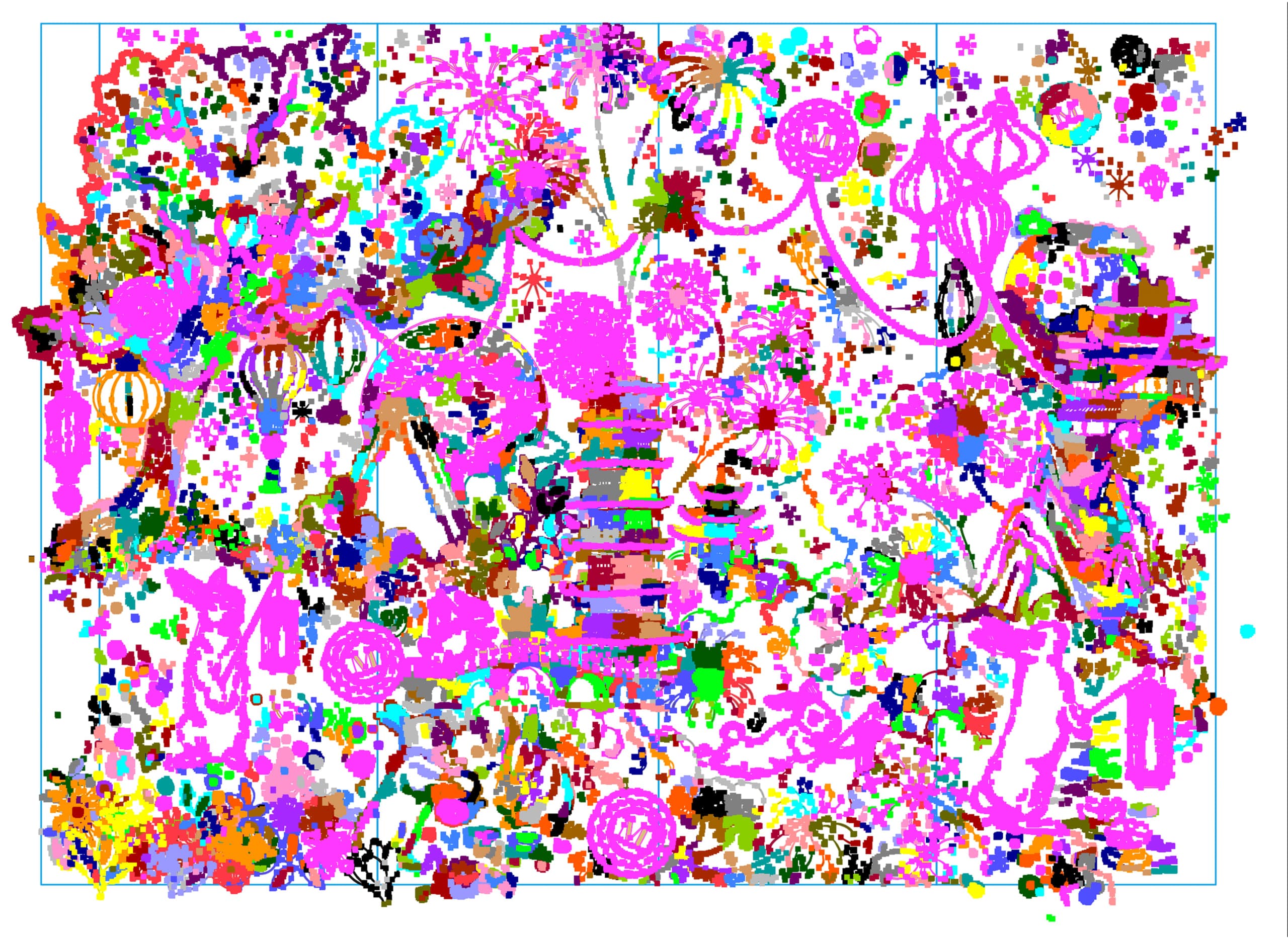
Once the vectorisation is done, every path is brought back into a single working file. At that point the drawing is far more workable than anything a single global trace would produce — we can edit, simplify, regroup, and colour the paths without the instability of an overall trace. All the upstream work is only a means of arriving at a stable structure; it doesn't weigh on what comes next.
One detail remains. Paths produced by Image Trace often sit slightly off from the original drawing, and the gap grows with the size of the element. It's often subtle, but at certain scales everything needs to be nudged back into alignment by hand. To check, we lay the vector in white over the original drawing: if any black shows through, the path has shifted — and it's also a chance to confirm that nothing has been lost along the way.

Colour follows the same logic. Vectorising an illustration already coloured in Procreate always produces a small drift: the algorithm traces outlines and flat colour as two independent sets of paths, each with its own approximations, and they never quite meet at the pixel. We do the opposite. The outline paths, once vectorised, become the load-bearing structure: the Pathfinder carves the colour zones directly from those outlines, instead of re-tracing them independently. Flats and strokes share the exact same paths — no registration drift possible. And when a zone has to be thickened to create a slight print overlap, it can be done cleanly without breaking the line/colour registration.
Two projects that left no other choice
The project that moved this method to real scale was the Tarot de Marseille, produced with GoodPeopleWander for the 2024 relaunch of Grimaud Paris. Seventy-eight cards, eight Pantone colours per card, one pass of gold foil.
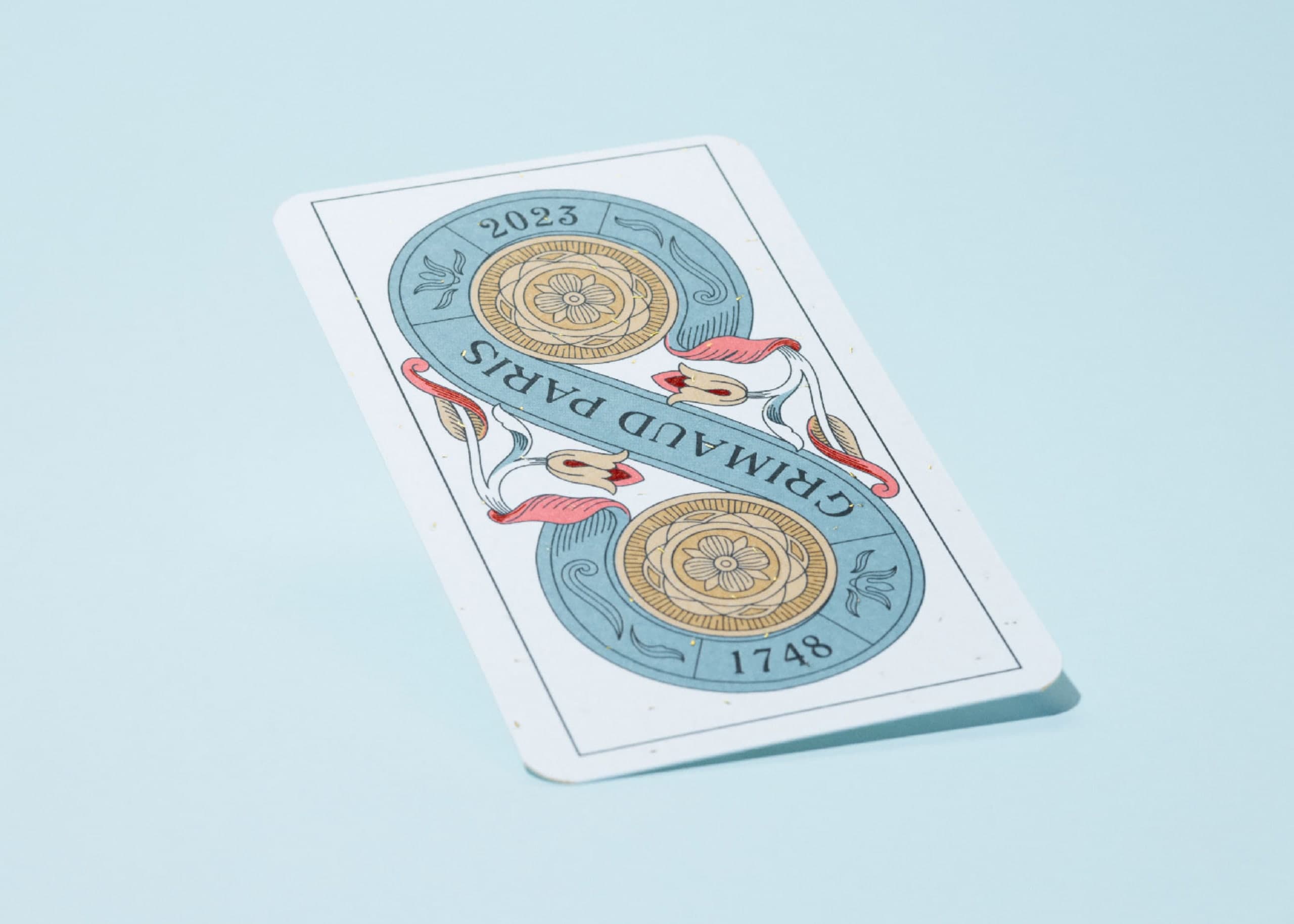
The printer said they could work from layered PSDs with spot colours, but the agency wanted editable Illustrator files — easier to rework in-house. Seventy-eight separate files, then, all of which had to come out with exactly the same structure: same layer names, same spot colours, overprints applied identically, paths faithful to Margot's drawing with no drift from one file to the next.
That level of consistency across seventy-eight files isn't tenable by hand in the time we had. A plain Image Trace wasn't reliable enough either. The only viable path was to formalise this layered approach — scripts that opened each file, isolated the zones, applied the preset, placed the spot colours in registration, closed the file, and moved to the next.
This was the project where the method stopped being a set of case-by-case experiments and became a process that holds under production constraints.

On the Tarot, each card stayed relatively simple — it was the scale that forced automation. A single global Image Trace, applied card by card, would probably have held, at the cost of considerable correction work. On Legend of the Jade Rabbit, produced the following year for Lady M via Folio Art, the constraint flipped: a single file, but an illustration whose density made global vectorisation unsolvable.
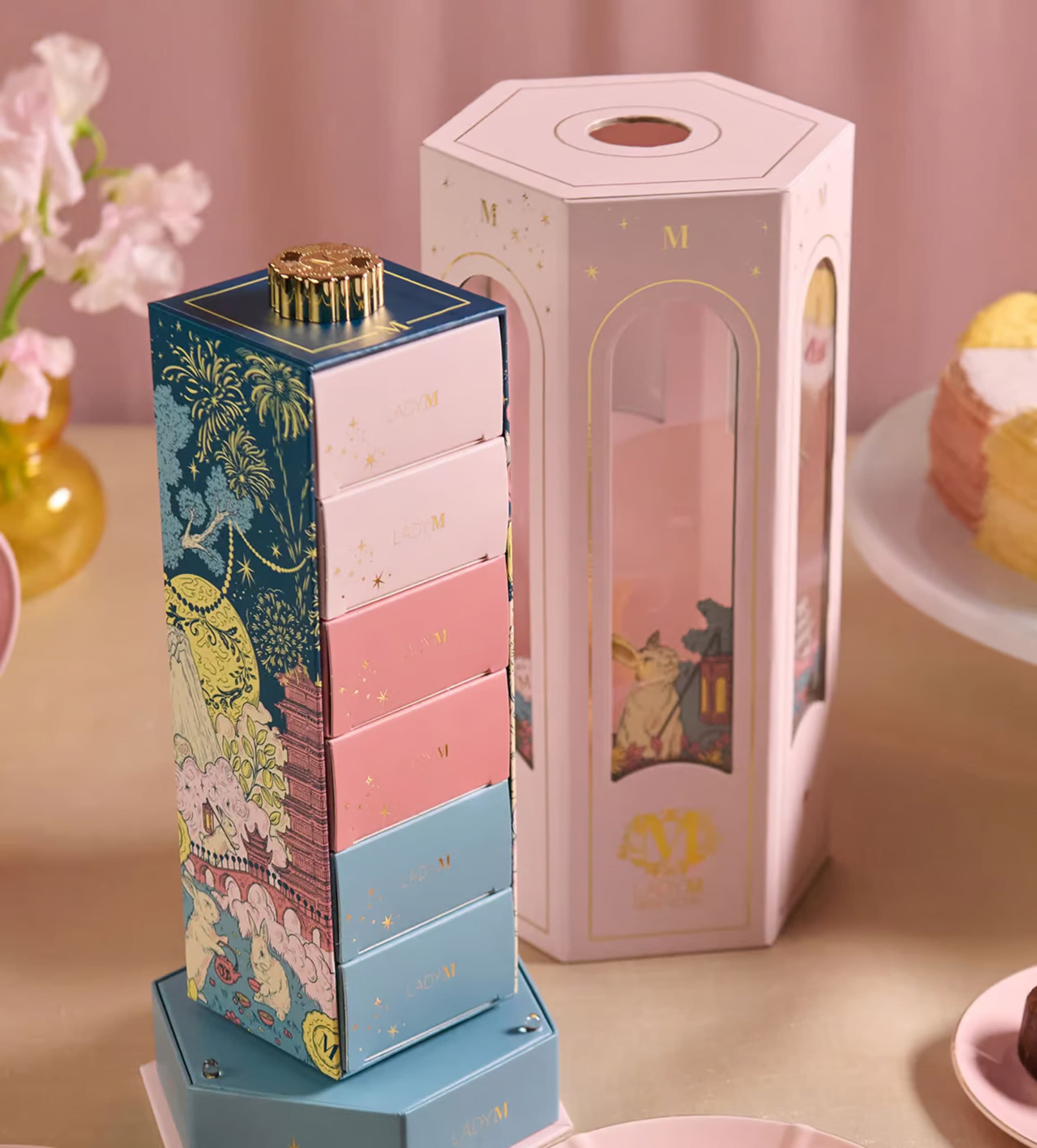
The object itself was a hexagonal box holding a rotating inner box, which meant the pattern had to close around the drum with no visible seam. Margot worked directly on the unfolded template — a dense illustration with layers of vegetation, clouds, and ornament overlapping at several depths. A single overall trace had no chance of keeping any of that legible.


The test speaks for itself. Left, the detail as it was delivered — each element cleanly vectorised, the lines sharp, the layering clear. Right, the same detail run through a single global Image Trace — lines merge, junctions vanish, fine ornament dissolves into an approximate mass. The file is technically vector. Nothing is readable.
What the Tarot imposed through scale, Jade Rabbit imposed through density. In both cases, working stroke by stroke was no longer one method among others — it was the only one that produced a file we could fully stand behind.
What remains when the file leaves the studio
The thousands of layers don't show up anywhere. The printer opens a file they can work with without friction, the laser follows the paths without hesitating, an in-house team can redeploy the illustration without ever coming back to us. That's the point of this method: it's only visible from the workshop.
Everything described here — the scripts, the thousands of layers, the presets tuned case by case — exists for one simple reason: so that Margot can keep drawing in Procreate as if nothing had changed. The automatic tools, whether they promise to vectorise with AI or have been around for twenty years, all try the same thing — to guess, from an image, what the artist meant. That's exactly what we refuse. Nothing is left to chance. We use the machine as a tool — precise, at the service of the gesture.
- Tarot de Marseille N°400, for Grimaud Paris via GoodPeopleWander.
- Legend of the Jade Rabbit, for Lady M.